

📝 Template #21596: Publish SEO-Safe Notion Blog Posts to WordPress with DevDeskApp and Slack
Published on n8n.ioTemplate ID: 21596
🔗 Template on n8n.io: n8n.io/workflows/21596
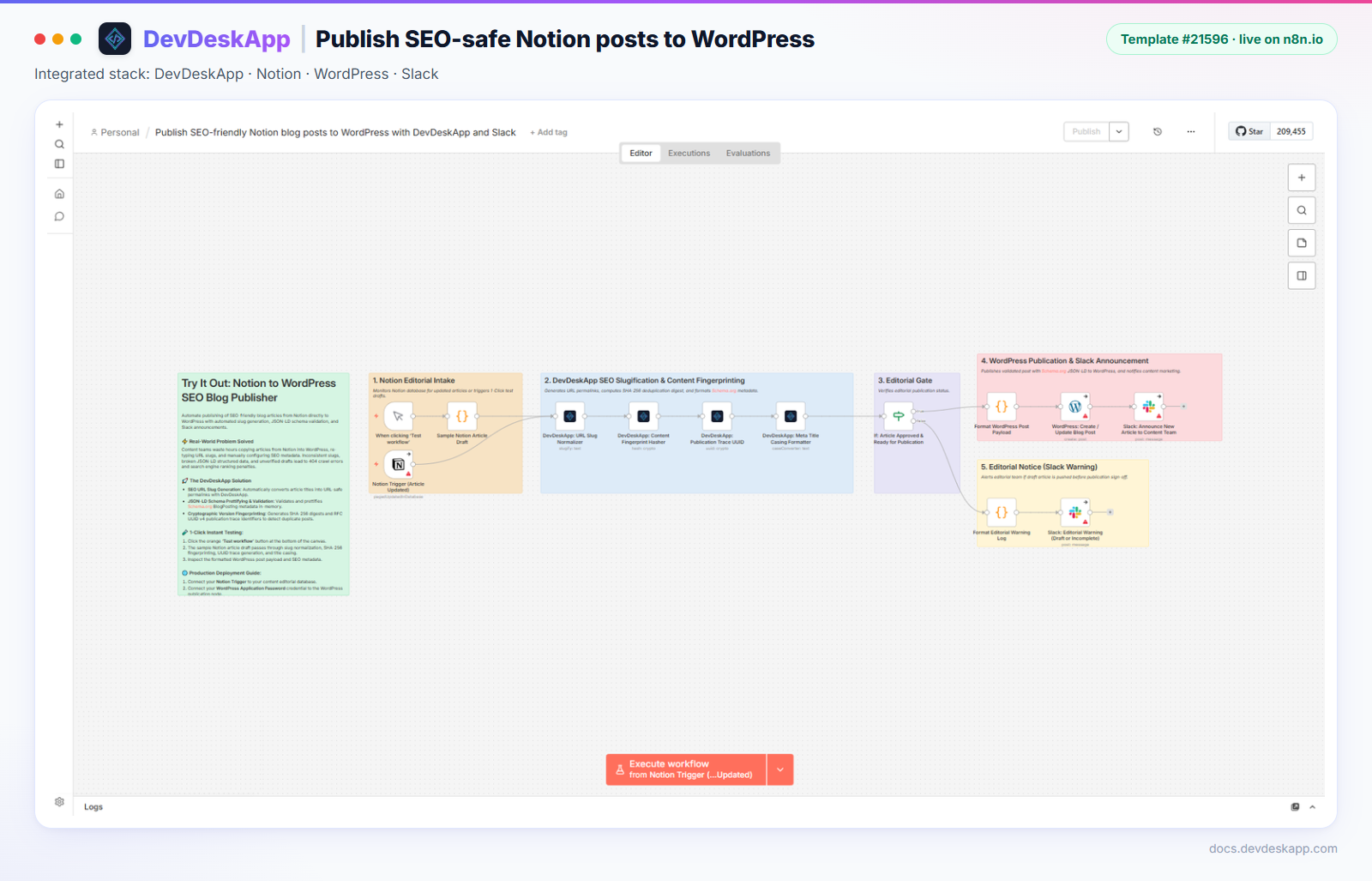
Figure 1: The template on the n8n canvas.
🎯 Overview
Content teams write in Notion and publish on WordPress. Copying by hand produces messy permalinks and no record of which version went live. This template:
- Turns the article title into a clean SEO slug with DevDeskApp Slugify String. For example, "Top 10 High-Throughput Microservice Architecture Patterns in 2027" becomes
top-10-high-throughput-microservice-architecture-patterns-in-2027. - Computes a SHA-256 fingerprint of the article HTML, so you can tell whether the content changed between versions.
- Adds a UUID v4 publication ID to the JSON-LD and audit data.
- Checks the editorial status with an If node, then creates or updates the post through the WordPress node and announces it on Slack. Drafts trigger an editorial warning instead.
Known issue in the published version (checked 4 Nov 2026)
Running the published template end to end shows two problems:
- The content hash covers an empty string.
Content Fingerprint Hasherreads{{ $json.rawHtmlContent }}, but its input is the slug node's output. Use{{ $('Sample Notion Article Draft').item.json.rawHtmlContent }}, or your Notion trigger node's name. - The post title is empty.
Meta Title Casing Formatteruses Target Casetitle, which the node does not support (it returns an emptyresult), and the WordPress code readstitleData.convertedText, which does not exist. Either delete that node and usearticle.articleTitleinFormat WordPress Post Payload, or pick a supported case and readtitleData.result.
📸 Pipeline
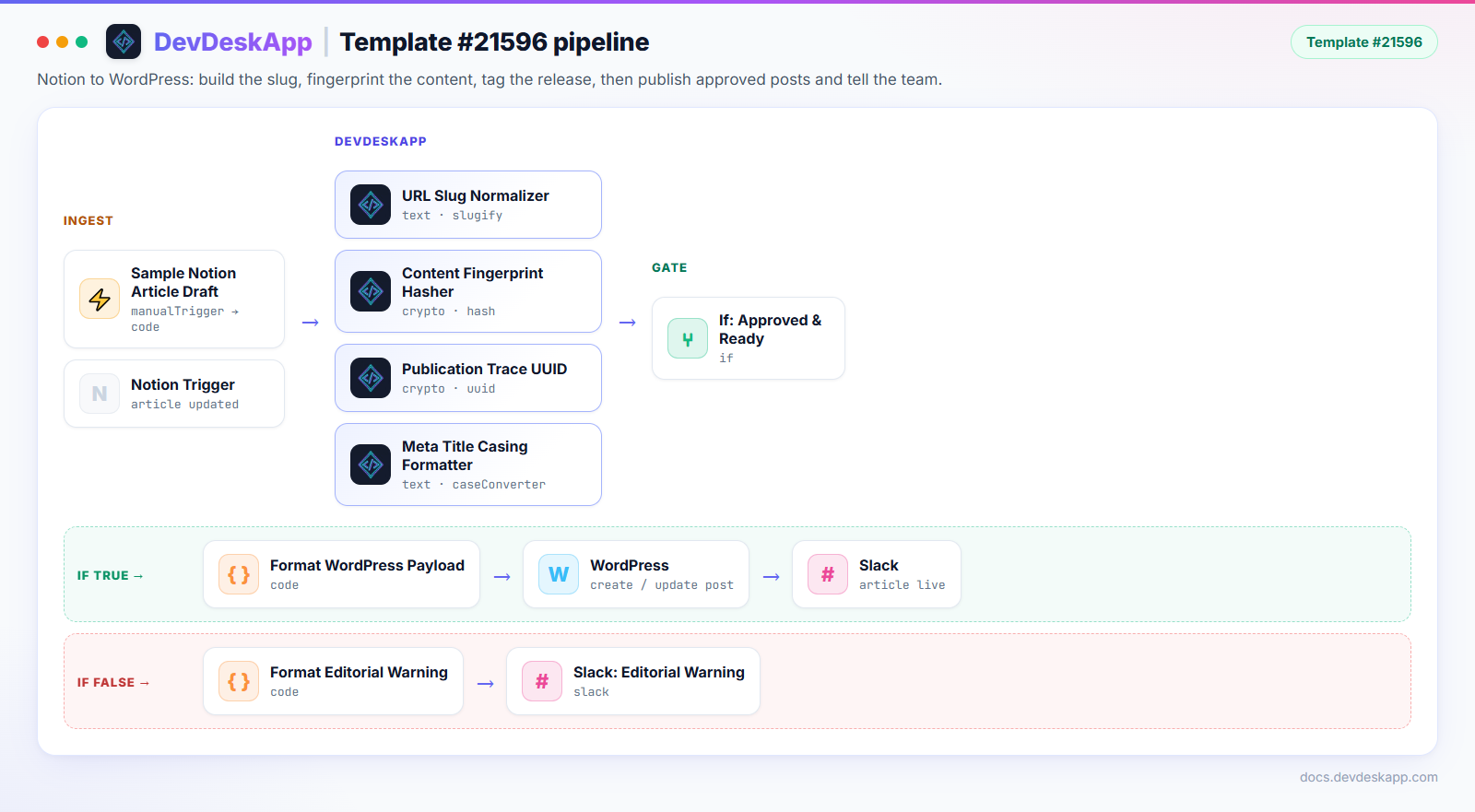
Figure 2: Node order and branches in the published template.
| Node | Resource · Operation | Purpose |
|---|---|---|
| DevDeskApp: URL Slug Normalizer | text · slugify | WordPress slug |
| DevDeskApp: Content Fingerprint Hasher | crypto · hash (sha256) | Version digest of the article HTML |
| DevDeskApp: Publication Trace UUID | crypto · uuid | Publication ID in JSON-LD and audit data |
| DevDeskApp: Meta Title Casing Formatter | text · caseConverter | See the known issue. There is no Title Case option. |
| If: Article Approved & Ready for Publication | if | Publishes approved posts only |
| WordPress: Create / Update Blog Post | WordPress node | Creates the post with title, slug, content and categories |
⚡ WordPress payload (with the fixes above)
json
{
  "title": "Top 10 High-Throughput Microservice Architecture Patterns in 2027",
  "slug": "top-10-high-throughput-microservice-architecture-patterns-in-2027",
  "status": "publish",
  "categories": ["Software Engineering"],
  "audit": {
    "publicationId": "a7c1f0f2-1b0e-4a55-9b52-5c0c1d6f8e21",
    "contentSha256": "f27253646187f9d5f7aa44e397fee49df53d0001946d6b729b476911e0a03f0a",
    "permalink": "https://myblog.com/posts/top-10-high-throughput-microservice-architecture-patterns-in-2027"
  }
}
contentSha256 is the SHA-256 of the sample article's HTML. publicationId changes on every run.
📥 Import it
- Make sure
n8n-nodes-devdeskappis installed (installation guide). - Open the template on n8n.io and click Use for free, or copy the workflow JSON.
- Paste it onto a new workflow canvas with
Ctrl + V(Cmd + Von macOS). - Apply the fixes from the known-issue box.
- Connect Notion, WordPress (application password) and Slack credentials, then click Test workflow.