

n8n Community Node: DevDeskApp
n8n-nodes-devdeskapp is an official community node for n8n that brings high-performance, zero-latency developer utilities, formatters, and financial calculation engines directly into your automation pipelines.
Version v0.1.4 (Latest)Official n8n Template #21017MIT Open Source
Why Use DevDeskApp in n8n?
Automation developers, DevOps teams, and HR operations frequently encounter repetitive data transformation bottlenecks:
- Sanitizing raw webhook payloads into clean, formatted JSON.
- Generating cryptographic hashes (SHA-256 / MD5) to verify webhook signatures or track payload tamper-evidence.
- Hashing passwords securely using Bcrypt before storing them in PostgreSQL or Supabase.
- Calculating Indian payroll and take-home salary from gross CTC for recruitment and onboarding flows.
- Generating RFC 4122 UUID v4 trace IDs for distributed request tracing.
- Cleaning candidate and project titles into URL-safe slugs.
Before DevDeskApp vs. With DevDeskApp
| Dimension | Custom Code Nodes / Cloud APIs | With n8n-nodes-devdeskapp |
|---|---|---|
| Execution Latency | 150ms – 500ms network round-trip | < 1ms in-memory native CPU |
| Data Privacy | Sensitive payloads leave container to 3rd-party APIs | 100% Zero-leak local memory |
| Maintenance | Brittle JavaScript snippets prone to syntax breakage | Strictly typed visual UI with schema validation |
| Error Tracing | Unclear stack traces in raw code | Native n8n pairedItem data lineage |
| AI Agent Support | Requires custom prompt function calling setup | Native usableAsTool: true for n8n AI Agents |
📸 Visual Workspace Overview
Visual Community Node Settings
Installed directly from n8n's community registry without complex command-line builds:
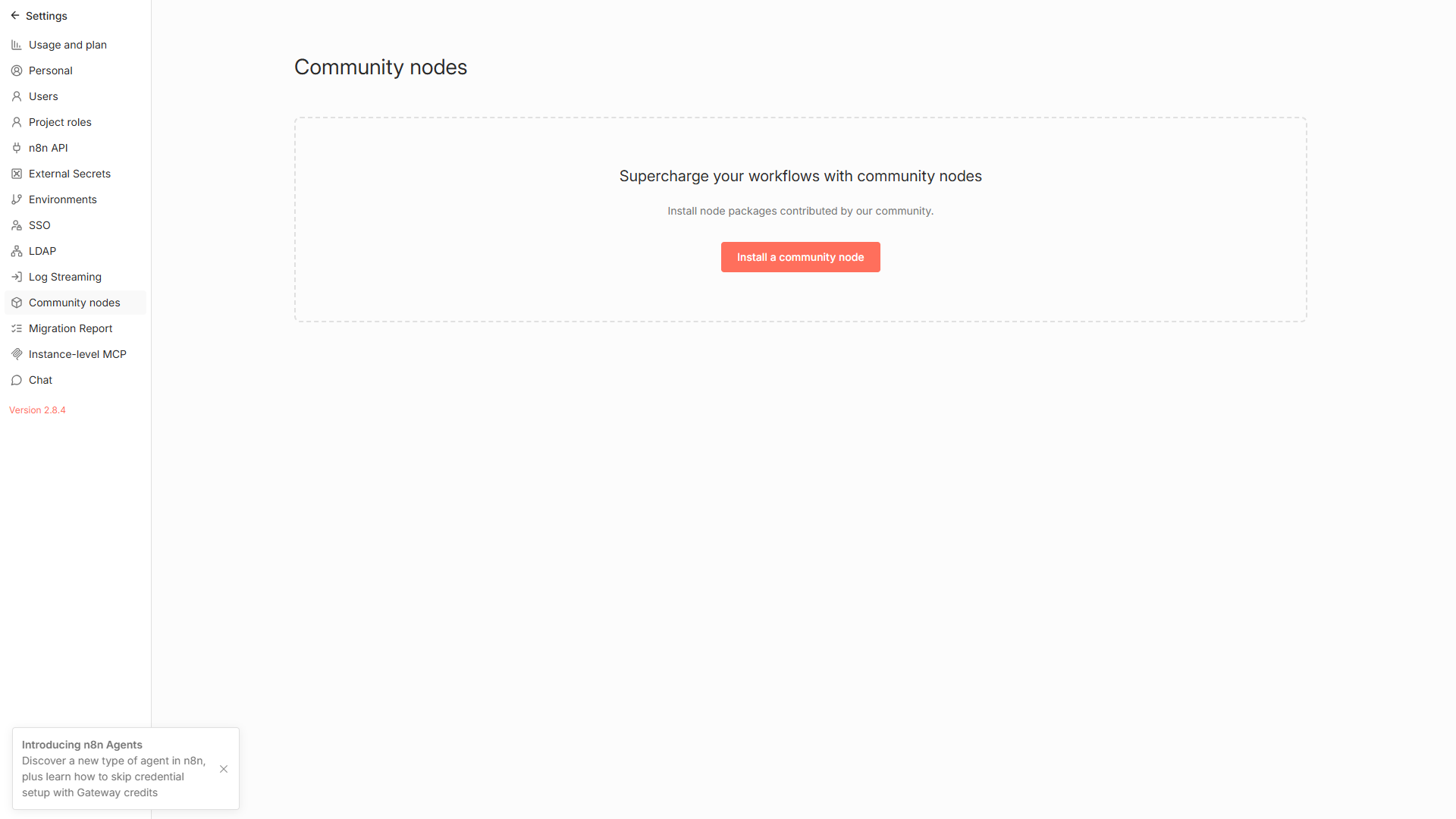
Figure 1: Installing and managing n8n-nodes-devdeskapp inside the n8n Settings UI.
Interactive Parameter Drawer
Easily switch between resources and operations using intuitive dropdowns and dynamic expression fields:
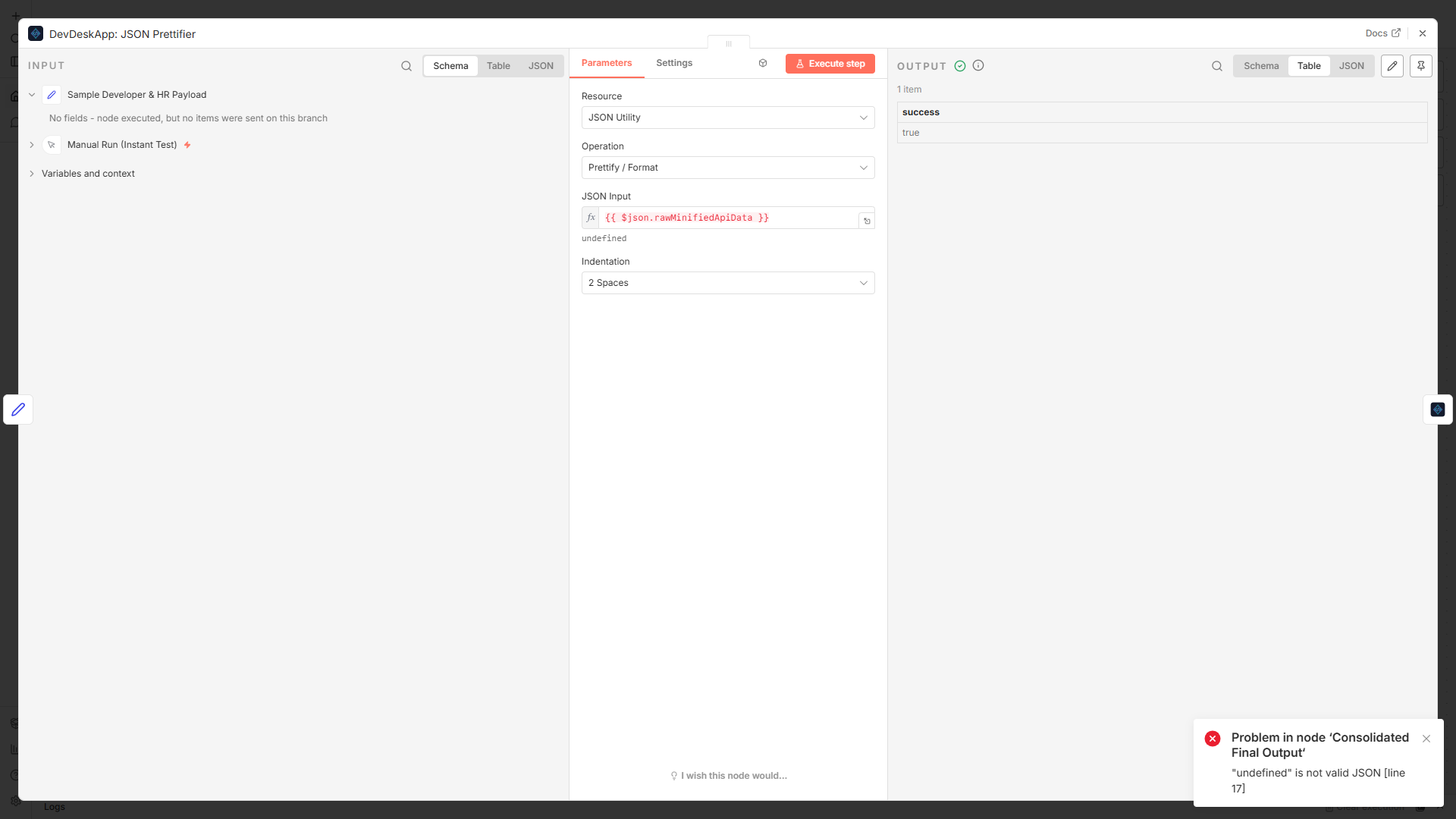
Figure 2: Configuring operations, parameters, and input expressions in the n8n Node drawer.
🛠️ Complete Operations Matrix (v0.1.4)
| Category | Operation | Description |
|---|---|---|
| JSON Utility | Prettify | Formats raw minified JSON into human-readable formatted string with custom 2, 4, or tab indents. |
| JSON Utility | Minify | Compacts large JSON objects by stripping non-semantic whitespace for efficient network transport. |
| JSON Utility | Validate | Validates syntax integrity, returning clear line/character error diagnostics. |
| Crypto & Hash | Hash | Computes standard cryptographic digests (SHA-256, MD5, SHA-512) from text. |
| Crypto & Hash | UUID Generator | Generates collision-resistant RFC 4122 compliant UUID Version 4 tokens. |
| Crypto & Hash | Bcrypt Hash | One-way password hashing with configurable salt rounds (default: 10). |
| Crypto & Hash | Bcrypt Compare | Constant-time password verification against an existing Bcrypt hash. |
| Text & String | Slugify | Converts names, titles, and strings into URL-safe slugs with customizable delimiters. |
| Text & String | Regex Matcher | Tests string against regular expression patterns with flags (g, i, m). |
| HR & Payroll | CTC Calculator | Computes monthly gross, take-home salary, Employee/Employer PF, PT, and tax breakdown. |
🤖 AI Agent Tool Compatibility
The DevDeskApp node exposes usableAsTool: true. When you connect DevDeskApp to an n8n AI Agent node, the LLM can autonomously choose to format JSON, hash passwords, or calculate compensation without requiring custom tool code.
mermaid
flowchart TD
    User["User Chat / Prompt"] --> Agent["n8n AI Agent (OpenAI / Claude / Gemini)"]
    Agent --> Tool["DevDeskApp AI Tool"]
    Tool --> Local["In-Memory Execution"]
    Local --> Tool
    Tool --> Agent
    Agent --> Output["Accurate Formatted Response"]

    classDef accent fill:#8b5cf6,stroke:#c4b5fd,color:#fff;
    class Tool,Agent accent;