Step-by-Step Installation Guide
You can install n8n-nodes-devdeskapp into your n8n instance using the graphical Community Nodes manager or via container/npm deployment scripts.
Option 1: Install via n8n Web UI (Recommended)
This is the fastest method and takes under 30 seconds without restarting containers:
Step 1: Open Community Nodes Settings
- Log into your n8n web dashboard.
- Click Settings (gear icon in the bottom-left sidebar).
- Select Community Nodes from the left navigation panel.
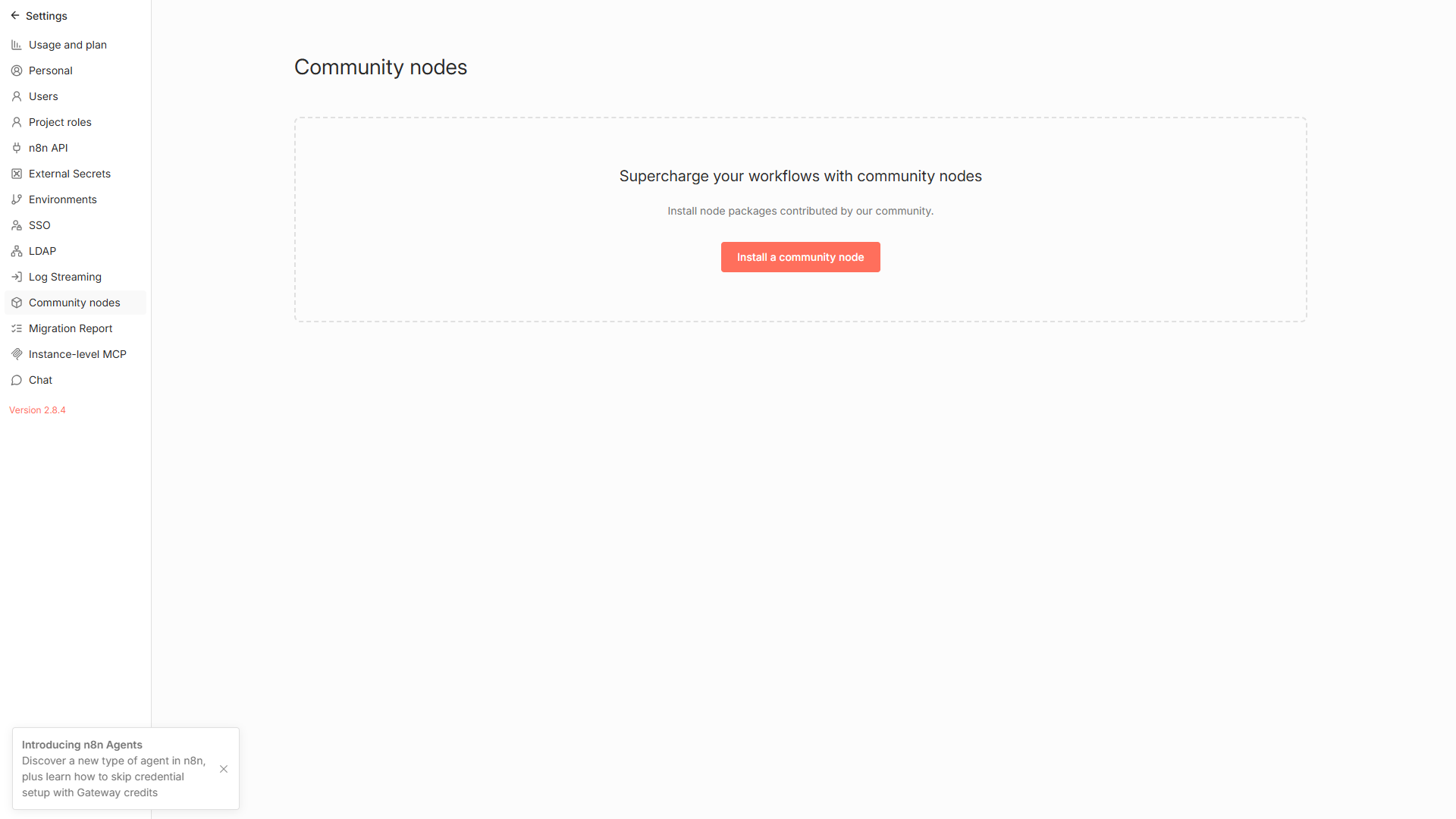
Figure 1: Navigating to Settings > Community Nodes in the n8n interface.
Step 2: Install Package Name
- Click the orange Install a community node button in the top right.
- In the npm Package Name field, paste:text
n8n-nodes-devdeskapp - Check the checkbox confirming third-party community package installation:
- "I understand the risks of installing untrusted code."
- Click Install.
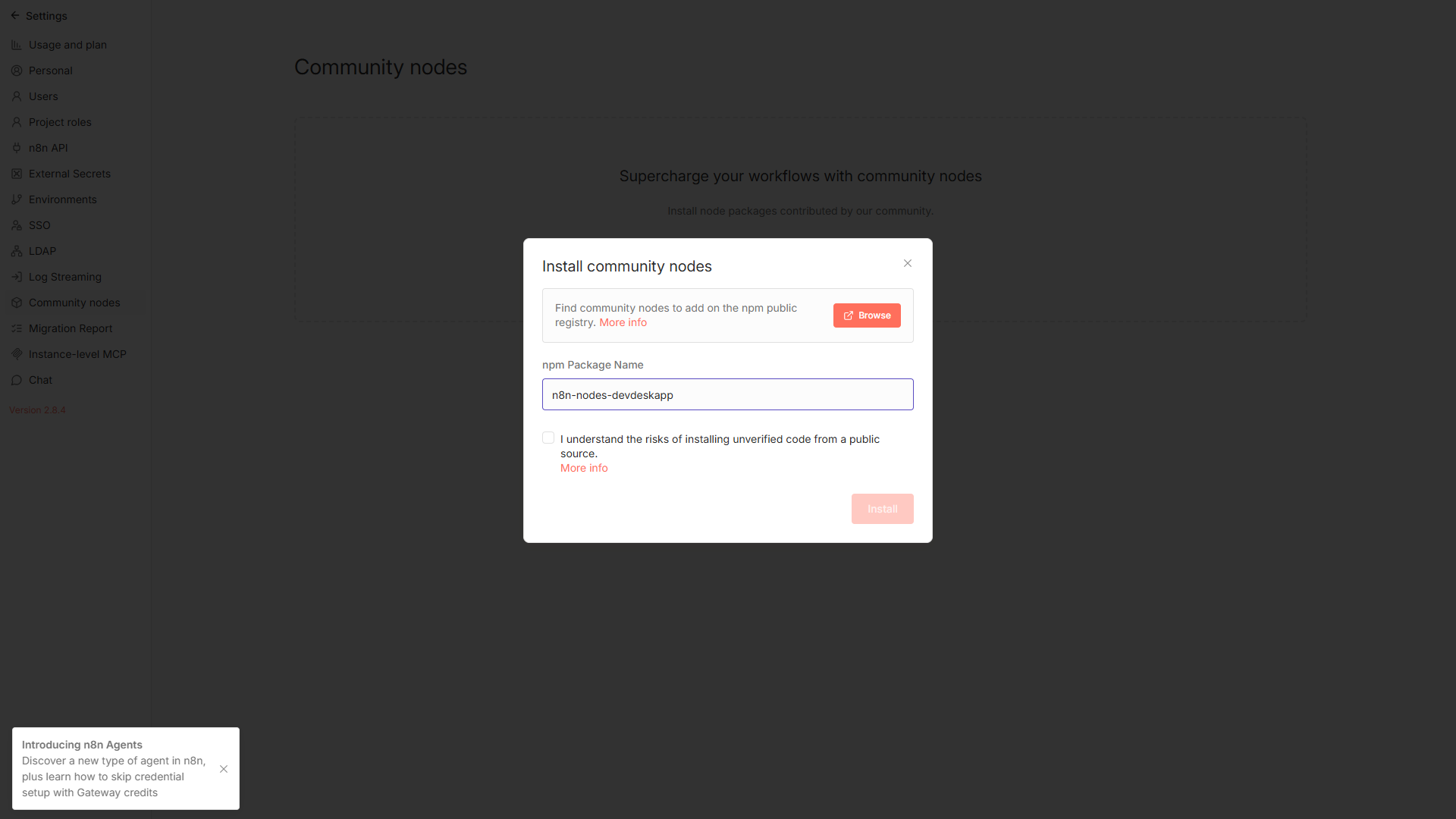
Figure 2: Community node installation modal with package name and safety confirmation.
Step 3: Verification
Once installation finishes:
- Open any workflow canvas and press
+(or hitTab). - Search for
DevDeskApp. - Add the node to your canvas and begin chaining developer utilities!
Option 2: Docker & Docker Compose Setup
If you manage your n8n instance via Docker Compose, ensure community package installation is allowed by setting N8N_COMMUNITY_PACKAGES_ENABLED=true:
yaml
version: '3.8'

services:
  n8n:
    image: docker.n8n.io/n8nio/n8n:latest
    container_name: n8n-automation
    restart: always
    ports:
      - "5678:5678"
    environment:
      - N8N_COMMUNITY_PACKAGES_ENABLED=true
      - N8N_ENFORCE_SETTINGS_FILE_PERMISSIONS=true
    volumes:
      - n8n_data:/home/node/.n8n

volumes:
  n8n_data:
Production Pre-Bundling (Custom Dockerfile)
To avoid manual installation across multiple ephemeral worker nodes, bake n8n-nodes-devdeskapp directly into your custom n8n base image:
dockerfile
FROM docker.n8n.io/n8nio/n8n:latest

USER root
RUN cd /usr/local/lib/node_modules/n8n && npm install --save n8n-nodes-devdeskapp
USER node
Option 3: Self-Hosted NPM / Global CLI
If you run n8n on a bare-metal server or VM directly via Node.js:
bash
# Navigate to your n8n state directory (default is ~/.n8n)
cd ~/.n8n

# Install the community node package
npm install n8n-nodes-devdeskapp

# Restart n8n
n8n start
🔍 Verification & First Test
Once installed:
- Drag the DevDeskApp node onto the canvas.
- Select Resource: JSON Utility and Operation: Prettify.
- Pass in
{"status":"ok","code":200}. - Click Test step — you will immediately see clean, formatted JSON with 0ms network latency!
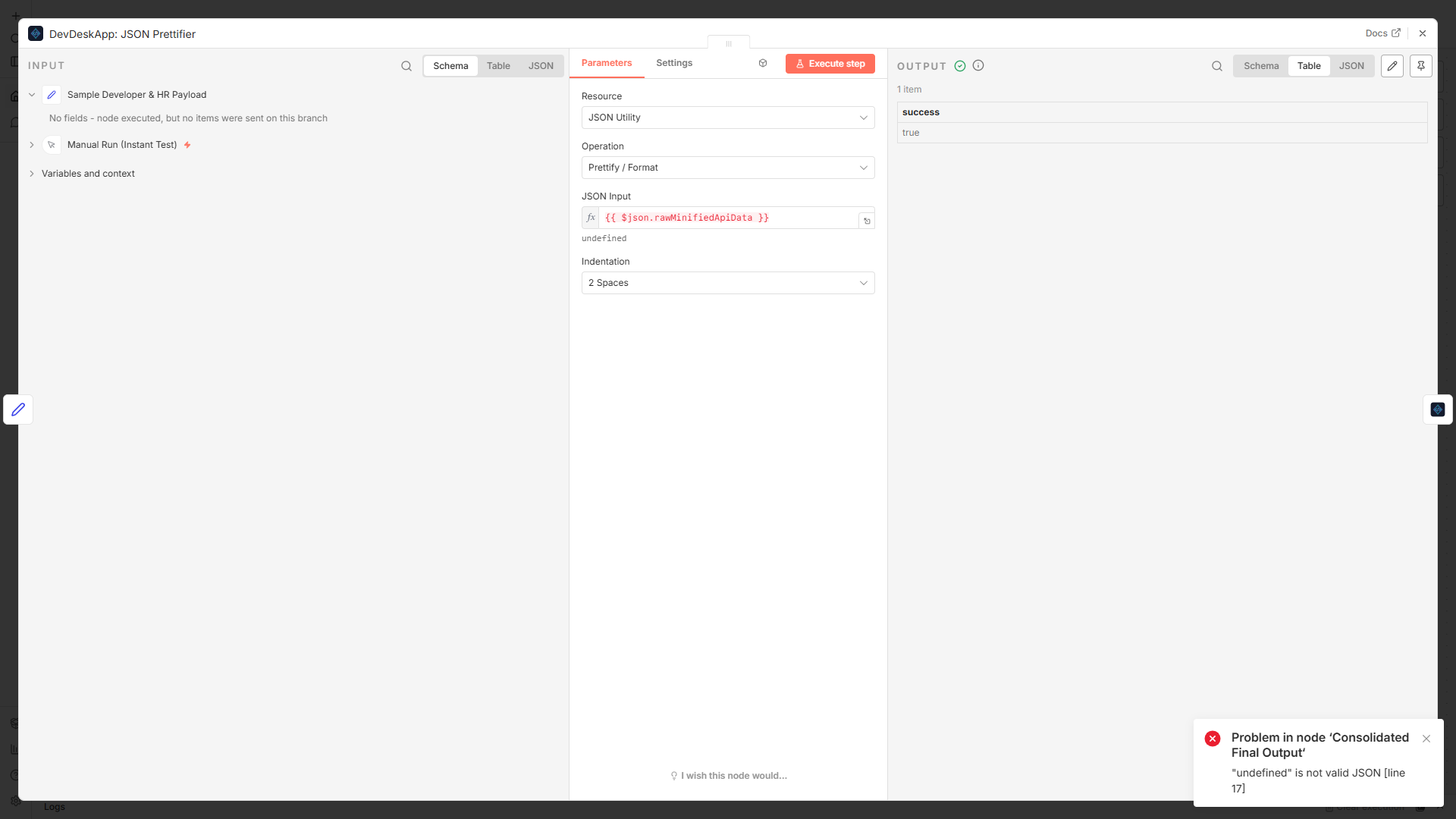
Figure 3: Testing the node parameters in the drawer with real-time feedback.