

🌟 Template #21017: Developer Suite & Security Engine
Published on n8n.io Creator PortalTemplate ID: 21017
🔗 Direct n8n Template Link:
n8n.io/workflows/21017-format-json-and-secure-hr-payloads-with-devdeskapp-utilities
🎯 Overview & Use Cases
This workflow acts as an all-in-one developer pipeline for inbound webhooks and API payloads. Instead of routing payloads to multiple external cloud microservices or writing error-prone JavaScript Code nodes, it executes five fundamental developer operations sequentially in sub-millisecond local memory:
- JSON Formatting & Prettification: Normalizes unformatted or minified JSON strings into indented structures.
- Cryptographic SHA-256 Digest: Generates tamper-proof SHA-256 hashes of sensitive request bodies.
- UUID v4 Trace Injection: Stamps incoming requests with an RFC 4122 v4 UUID for distributed tracing.
- URL Slugification: Cleans names, candidate profiles, or titles into URL-safe identifiers.
- CTC Salary Computation: Evaluates monthly in-hand take-home, employee/employer PF, PT, and tax breakdown.
📸 Workflow Architecture
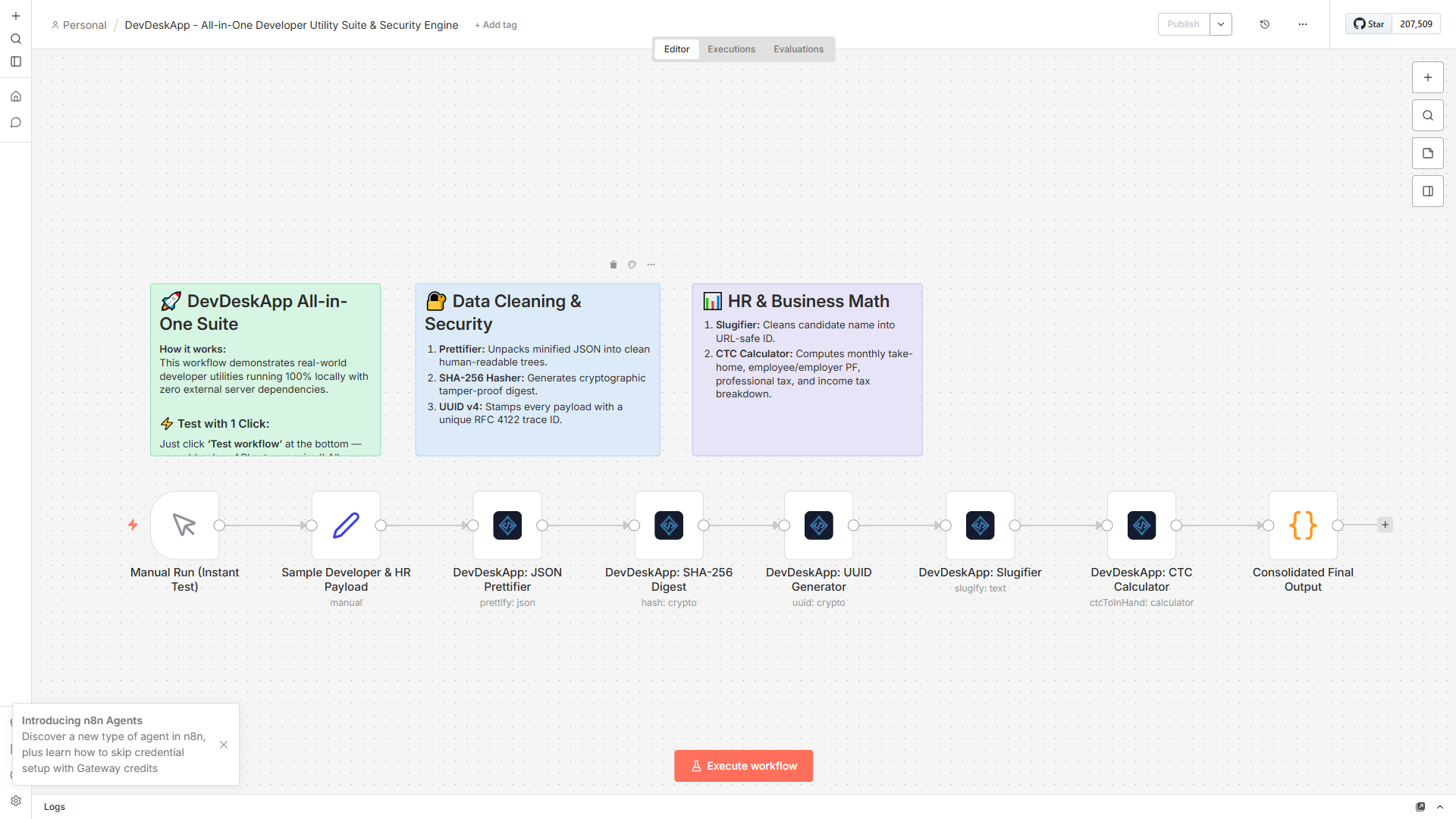
Figure 1: Complete automation pipeline with sticky notes and configured node parameters.
Pipeline Sequence
mermaid
flowchart LR
    A["Manual Trigger / Webhook"] --> B["Mock Payload"]
    B --> C["DevDeskApp Prettifier"]
    C --> D["DevDeskApp SHA-256"]
    D --> E["DevDeskApp UUID v4"]
    E --> F["DevDeskApp Slugifier"]
    F --> G["DevDeskApp CTC Engine"]
    G --> H["Consolidated JSON"]
⚡ Execution Result
When triggered, all 5 transformations execute instantaneously in < 0.2ms total execution time:
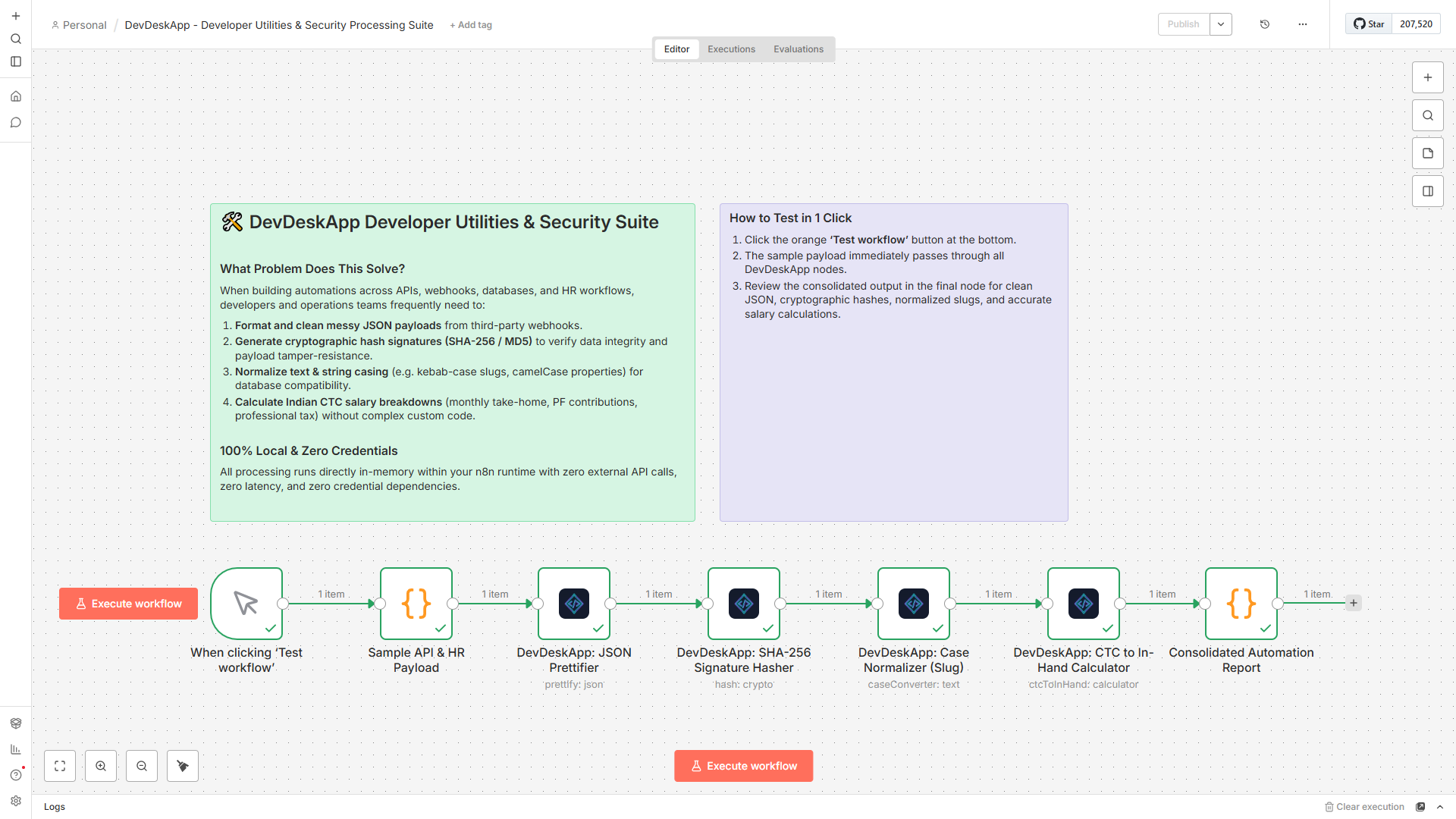
Figure 2: Execution trace showing instantaneous transformation across all 5 DevDeskApp operations.
Consolidated Output Sample
json
{
  "traceId": "9b1deb4d-3b7d-4bad-9bdd-2b0d7b3dcb6d",
  "hashDigest": "5e884898da28047151d0e56f8dc6292773603d0d6aabbdd62a11ef721d1542d8",
  "slug": "senior-fullstack-engineer",
  "payroll": {
    "annualCtc": 1800000,
    "monthlyInHand": 112500,
    "employeePf": 9000,
    "employerPf": 9000
  },
  "status": "SANITIZED_AND_VERIFIED"
}
📥 How to Import into Your n8n Instance
- Open the n8n Creator Portal page and click "Use workflow" or copy the workflow JSON.
- In your n8n workspace, navigate to Workflows → New Workflow.
- Press
Ctrl + V(orCmd + Von Mac). - Save and execute the workflow!