

Production Best Practices
Implementing automated workflows in production requires attention to data integrity, error boundaries, and throughput optimization. This guide outlines recommended practices when deploying n8n-nodes-devdeskapp at scale.
1. Preserving Data Lineage with pairedItem
In n8n, data flows through nodes as arrays of items. When downstream nodes query prior inputs using $item(0), n8n relies on pairedItem metadata to trace which input item produced which output item.
n8n-nodes-devdeskapp strictly attaches pairedItem indices:
// Internal node execution pattern:
returnData.push({
  json: result,
  pairedItem: { item: i }
});
Best Practice
When chaining multiple transformations (e.g. Ingest -> DevDeskApp Slug -> DevDeskApp Hash -> Postgres Upsert), you can safely access original webhook inputs downstream using:
// In downstream expressions:
$input.item.json.candidateName
n8n will always map back to the correct source item even if previous steps filtered or modified elements.
2. Robust Error Handling
In standard mode, if an unexpected input is received (e.g. invalid Base64 string), n8n-nodes-devdeskapp throws an item-linked NodeOperationError:
throw new NodeOperationError(this.getNode(), error, { itemIndex: i });Production Recommendation
If your pipeline handles bulk incoming batches from third parties where isolated records might be malformed:
- Open the node settings tab (cog icon).
- Enable Continue On Fail.
- When enabled, failed items output an error structure rather than aborting the entire workflow execution.
- Add an If or Switch node downstream to route failed records into a Dead Letter Queue (DLQ) or Slack alert channel.
3. High-Throughput Batch Processing
Because n8n-nodes-devdeskapp runs synchronous in-memory logic:
- Avoid SplitInBatches where possible: You do not need to split inputs into batches of 10 or 50 to prevent rate-limiting or socket exhaustion. The node can process arrays of 10,000 items in a single execution tick.
- Memory Consumption: Processing 50,000 items in a single pass consumes minimal V8 heap. After execution, transient string allocations are automatically collected during normal Node.js garbage collection cycles.
4. Leveraging usableAsTool with AI Agents
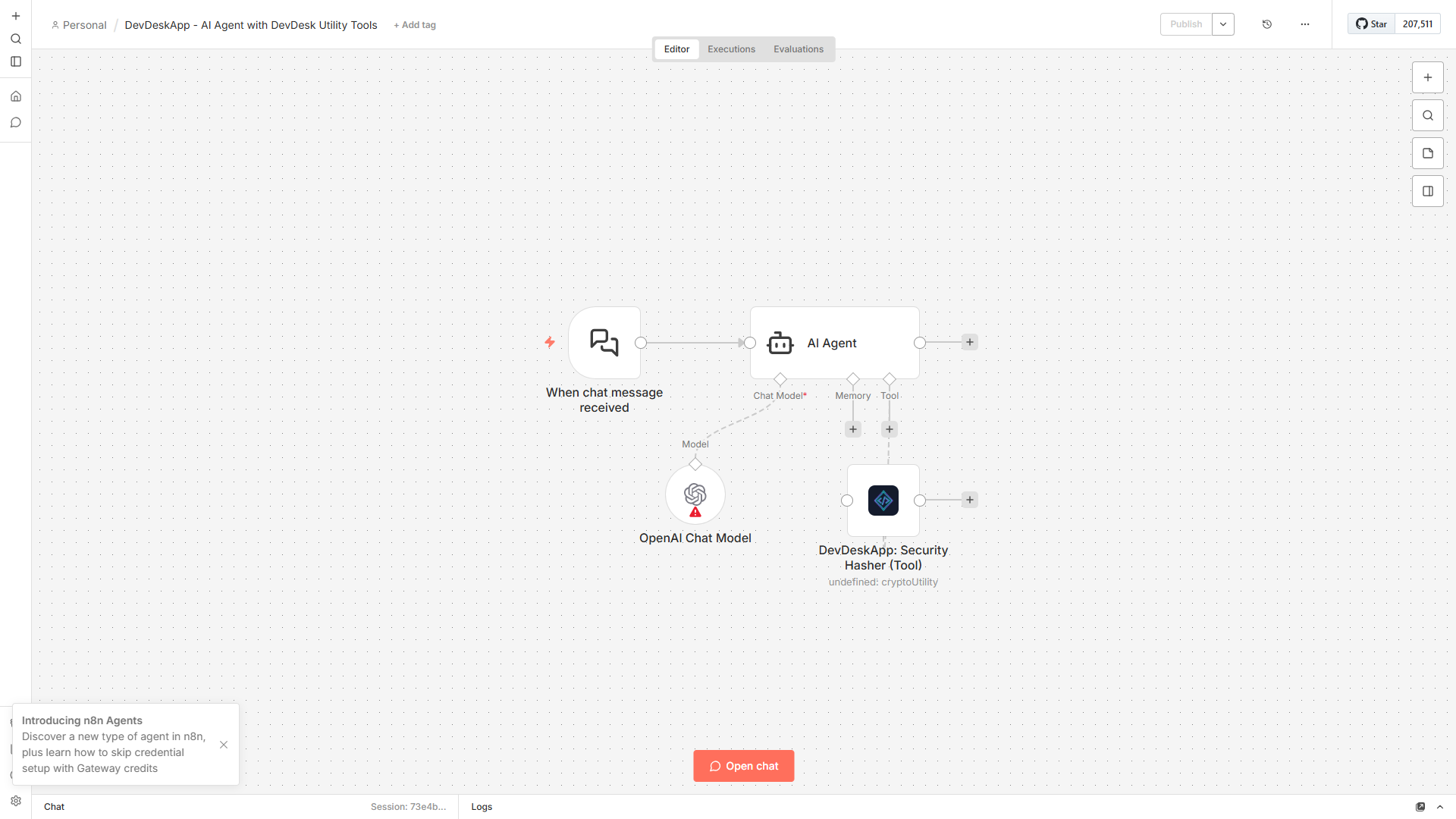
n8n-nodes-devdeskapp specifies usableAsTool: true in its node description. This allows the node to be attached as a Tool to n8n AI Agent nodes (OpenAI, Anthropic, or Local Ollama models).
Setup Steps
- Add an AI Agent node to your canvas.
- Under the Tools input of the AI Agent node, connect the DevDeskApp node.
- Select the required resource (e.g.
HR & CalculatororCrypto & Hash). - In the AI Agent prompt, instruct the agent:
"When a user asks for salary breakdown or take-home pay, call the DevDeskApp In-Hand Salary tool with their CTC."
- The LLM will parse parameters from chat and invoke the deterministic calculator without hallucinations.
5. Security & Secret Protection
When hashing or encoding sensitive tokens:
- Use SHA-256 or SHA-512 for signatures and integrity checks.
- Reserve MD5 strictly for legacy non-security hashes (such as Gravatar email lookups).
- DevDeskApp does not log strings to disk or external monitoring platforms. Workflows running inside air-gapped environments remain completely isolated.